About
The AI assistant gives moderators more insight and guidance during live sessions. Event organizers who have the 'AI Events bundle' enabled on their account can activate the assistant for supported sessions via the Basics tab in the session settings panel.
To enable the AI Events bundle, contact your Kaltura representative.
What you gain by activating the AI assistant
Moderators receive AI-powered insights throughout the live session, which appear in the Assistant tab and the Live stage tab. Insights include:
- Chat mood* – a quick reading of positive, neutral, negative, or quiet chat mood
- Engagement indicators – how many viewers are actively watching (full screen, focused tab, sound on)
- Notifications and prompts – alerts that help moderators respond to changes in mood or engagement
- Suggestions for interaction – ideas for polls, questions, or actions to boost participation
- Attendance updates – current viewer numbers
- Time to end – a session countdown
Activating the AI assistant also enables creation of custom email templates with AI.
* When the AI assistant is not activated, chat mood is replaced with Turnout rate, which shows the percentage of registered attendees who are logged into the session.
Single-session events
Access session settings
- From the Events homepage, click the event you want to manage.
- In the Event controls area, select the edit icon next to Basics.

The Overview page displays.


Multi-session events
Access session settings
There are two ways to reach session settings:
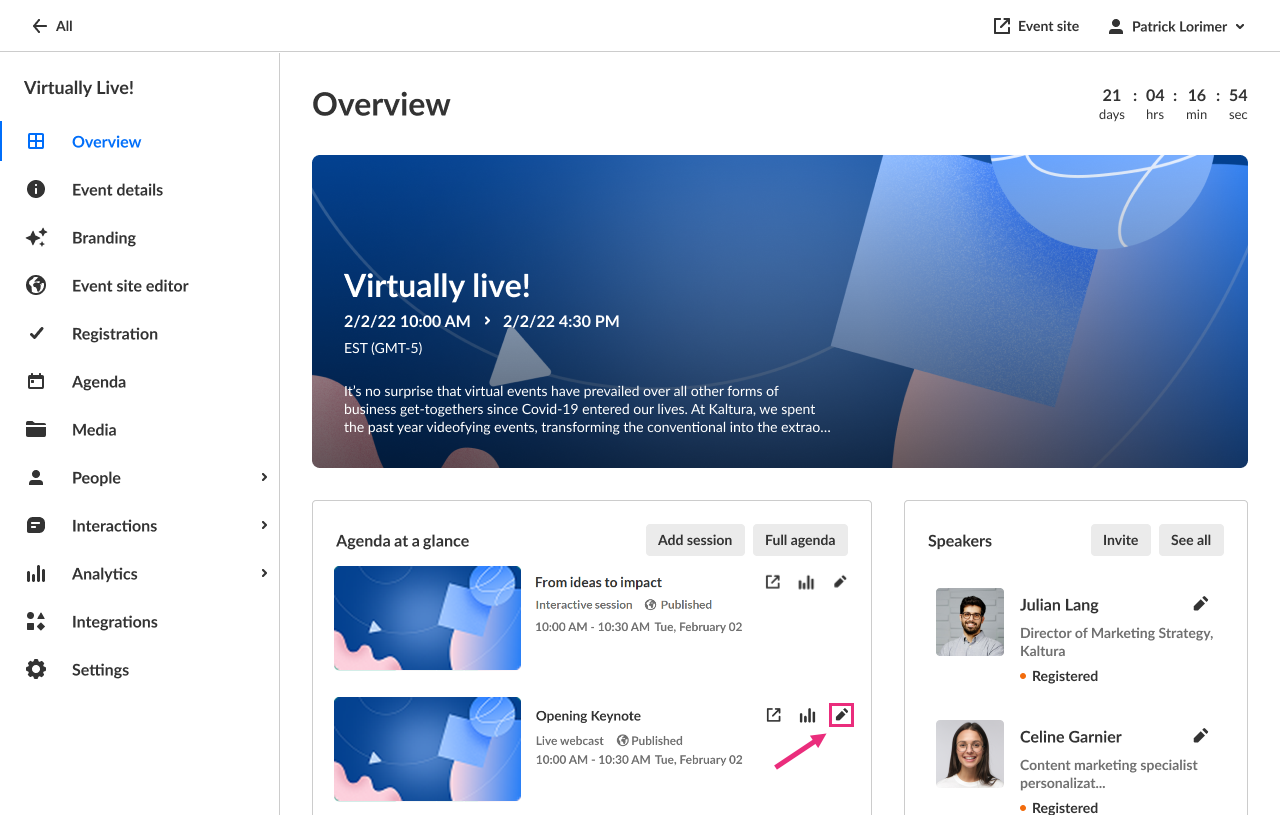
- On the Overview page, in the Agenda at a glance section, click the pencil icon next to the session.
- On the Agenda page, click the three-dot actions menu to the right of the session and choose Edit.
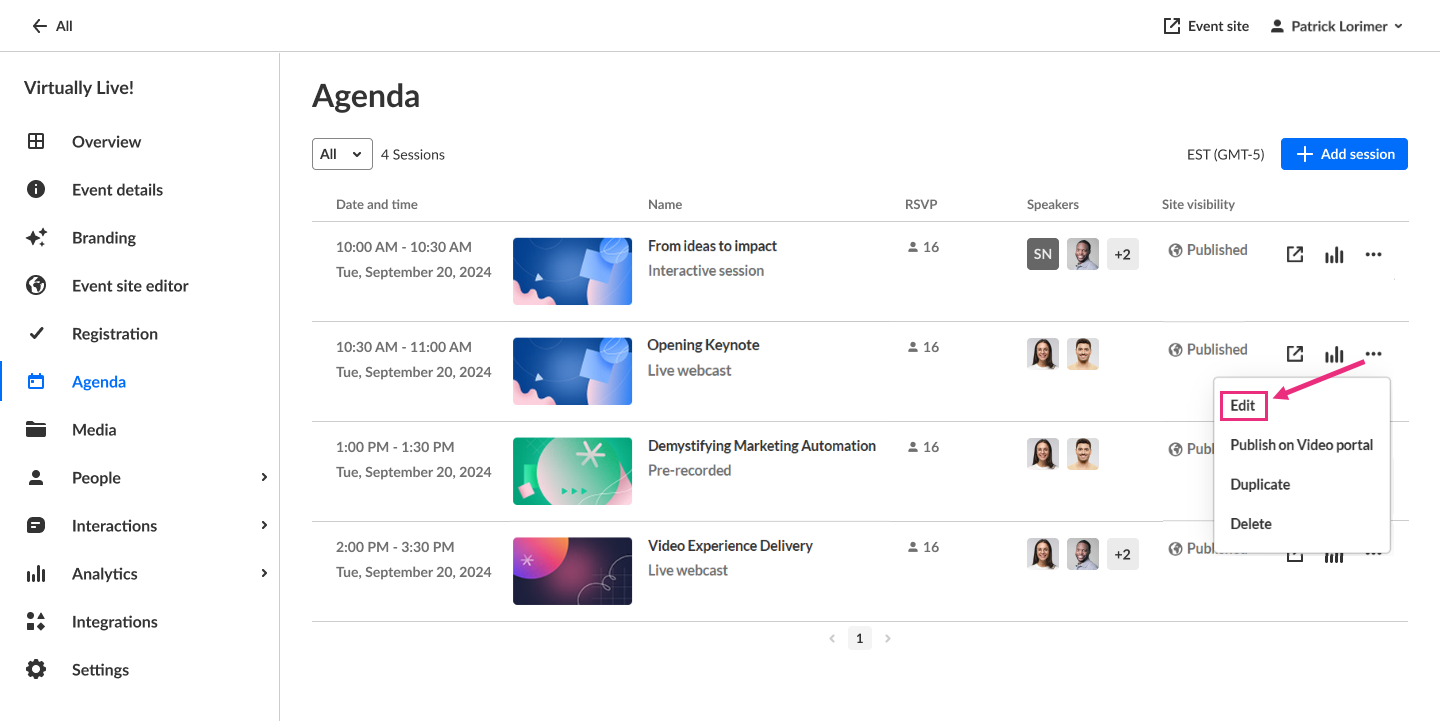
The session settings open in a side panel with the Basics tab selected by default.

Activate the AI assistant
- Enable the AI assistant by clicking the toggle next to Activate.
- Click Activate assistant to confirm your action.
- When you are finished making your edits, click Save changes.

A new window opens.

After activation, the Assistant tab becomes available to moderators in the Chat & Collaboration widget during the live session.
- For a full overview of the Assistant tab’s features, see Chat and Collaboration widget – Assistant tab.
- For details on how these insights appear in the Live stage view, see Chat and Collaboration widget – Live stage tab.
