About
KMS Go lets you share and like media on your Android device, and join the conversation with comments.
Like and share media
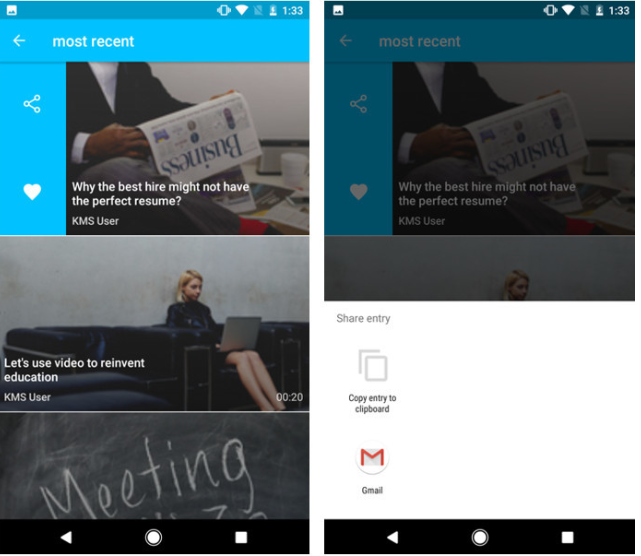
- In the gallery's vertical view, swipe the media item to the right.
- Select the heart icon to like the media, or the share icon to share it.
- If you're sharing, select email or copy.
You can also like and share from the media page. For more information, see Media page.
Comment on media
You can comment, reply, and join a discussion on the media page.
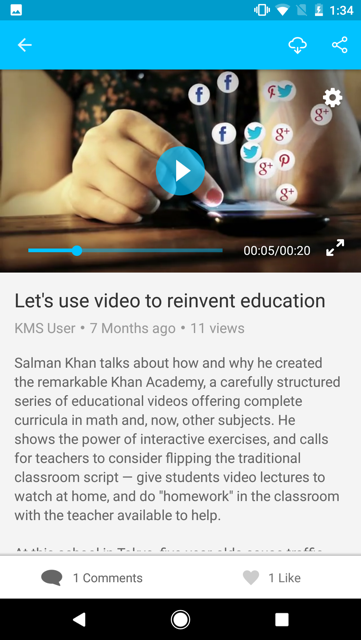
- Select the media thumbnail. The media page opens.
- Select Comments.
- Enter a comment.
- Select Post.
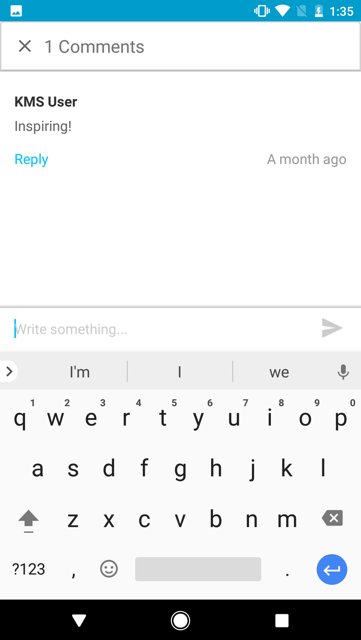
To reply to a comment, select Reply.
Your administrator's settings control what you can discover and do, including whether commenting is available.
