About
You can manage caption files for a session recording or any uploaded video source. This includes setting a default file, editing captions, downloading files, and deleting files.
Captions are attached to the video source. If this media is used in multiple sessions, any changes you make, including deleting or replacing captions, will affect all sessions using that video.
Access the actions menu
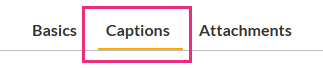
- Open the recording or video source you want to caption, then select the Captions tab.
- Click the three dots to the right of the captions file to open the menu.

Choose an action
Choose one of the following actions:
- Set as default – Make this captions file the default for playback.
- Edit – Open the closed captions editor to edit the file.
- Download – Download the captions file to your computer.
- Delete – Delete the captions file.
