About
Enhance your media by adding downloadable attachments for viewers to access before, during, or after playback.
This feature requires the Attachments module to be enabled.
Access the Assets tab
- From the user menu, select My Media.
- Click the three dots to the right of the desired media and select Edit.
- In the left navigation, click the Assets tab to display the Assets edit page.

The 'My Media' page displays.

Alternatively, you can access the edit page from the media page by clicking the three-dot menu and selecting Edit.

The edit page opens on the Details tab by default, with a left-hand navigation.

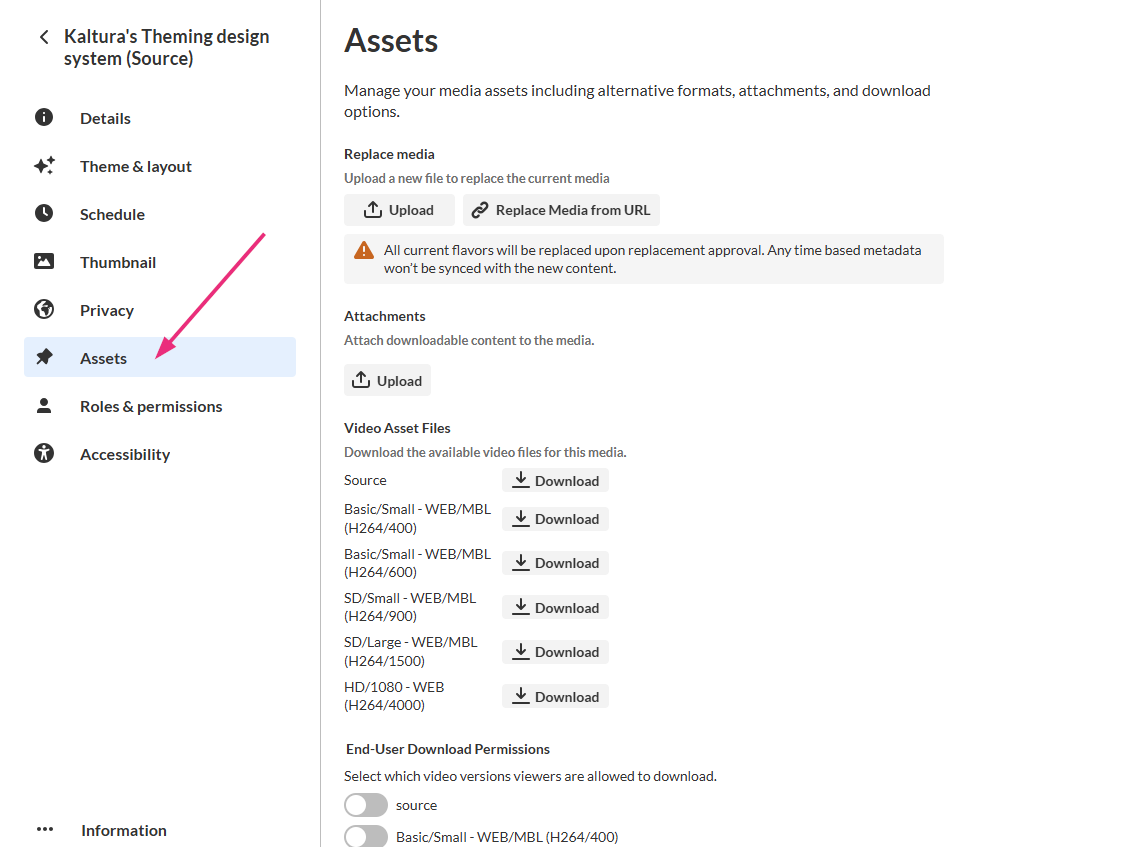
All edit actions apply immediately. There is no Save button on this page.
Upload attachments
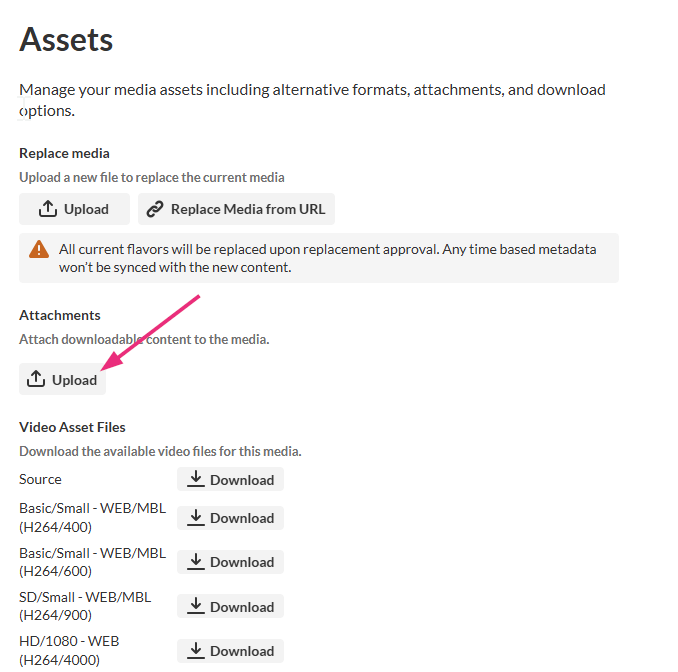
- Click Upload.
- Click Upload and select a file from your computer.
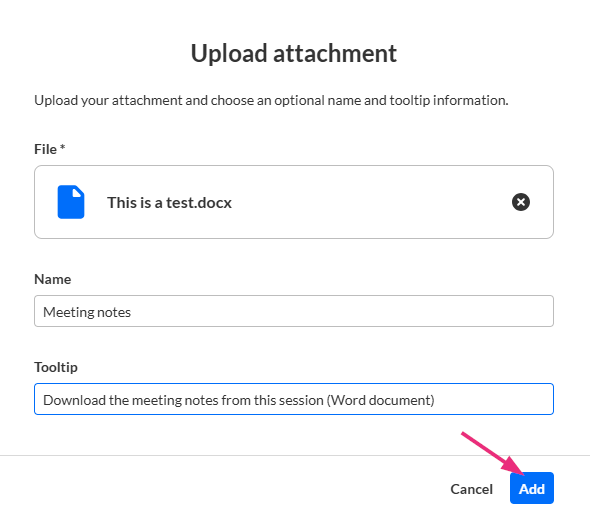
- (Optional) Enter a name and a tooltip description for the attachment.
- Click Add.
The Upload Attachment window opens.

The file is added as an attachment to the media entry.
To upload another attachment, repeat these steps.Manage attachments
You can use the options in the three-dot menu to the right of the attachment to perform various actions.
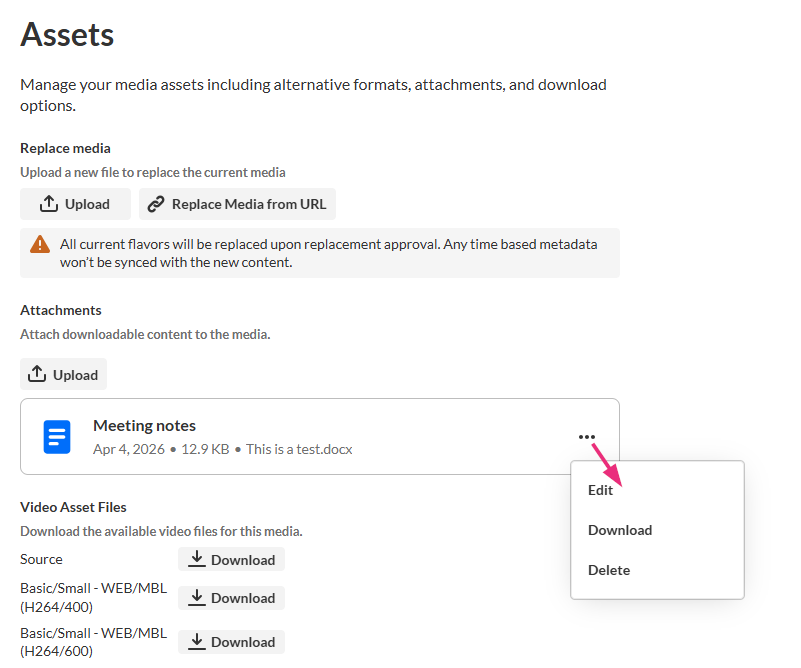
Edit attachment details
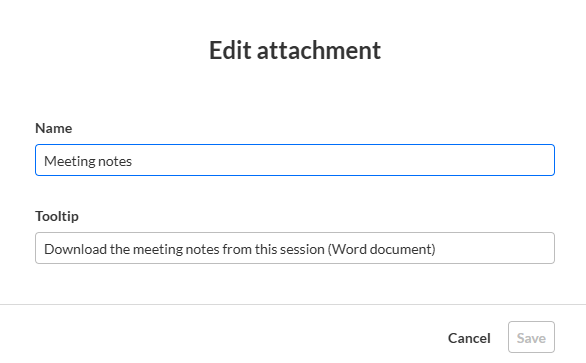
- Click the three dots next to the attachment and select Edit. The 'Edit attachment' window opens.
- Modify the title and description as needed.
- Click Save.
Download the attachment
Click the three dots and select Download.
The file downloads to your computer.
Delete the attachment
- Click the three dots and select Delete. A confirmation message displays.
- Click Delete to confirm.
The attachment is removed.
User experience
Attachments appear below the media details with a download icon, allowing viewers to easily access them.

Supported file types
Attachments can include documents, spreadsheets, presentations, audio/video files, and images:
Media files – *.mts, *.mov, *.mpeg, *.avi, *.mp4, *.vob, *.flv, *.f4v, *.asf, *.wmv, *.m4v, *.3gp, *.mkv, *.arf, *.webm, *.mxf
Document files – *.doc, *.docx, *.xls, *.xlsx, *.ppt, *.pptx, *.pdf, and OpenDocument formats
Image files – *.jpg, *.jpeg, *.bmp, *.png, *.gif, *.tif, *.tiff
