About
This article explains how to log into Content Hubs. Depending on your organization’s configuration, you may sign in using a username and password, an emailed magic link, or single sign-on (SSO).
Some sites allow you to browse public content without signing in. To access features such as My Media, upload content, or view private channels and galleries, you may need to sign in.
Your access to content and features depends on the permissions assigned by your administrator.
Log in
You may be prompted to log in when you open a page that requires authentication, or your organization may provide a direct login link.
To open the login page from the site menu:
- From the user menu in the site header, select Login.
- Follow the instructions for the login method displayed on your site
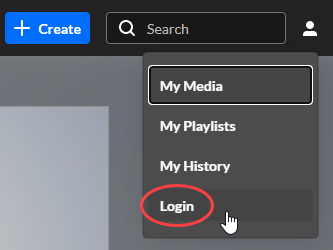
The sign-in page opens.
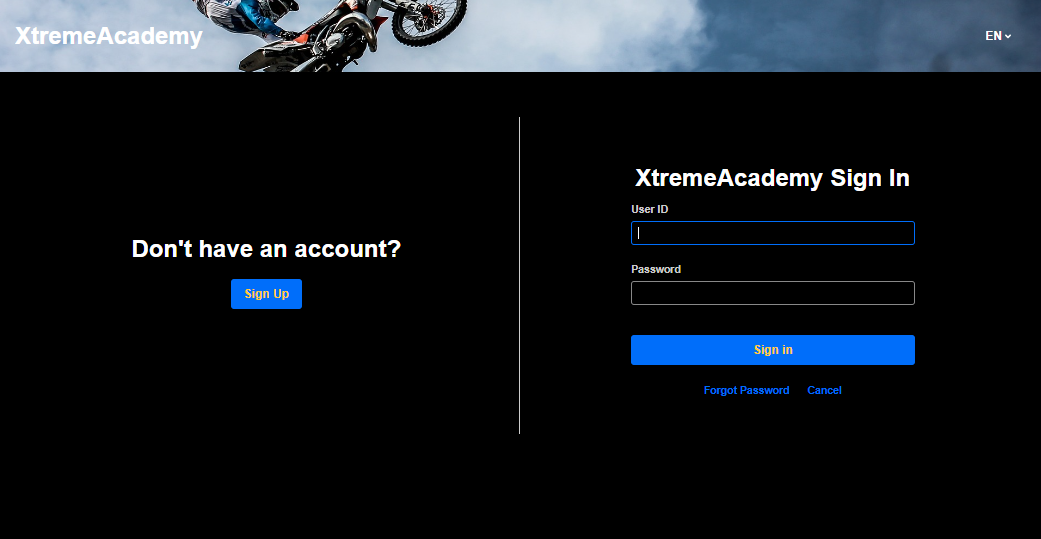 Example of a username and password sign-in page
| Sign-in method | What to do |
|---|---|
| Username and password | Enter your username and password, then click Sign In. |
| Magic link | Enter your email address and request a sign-in link. Check your inbox and click the link to sign in. |
| Single sign-on (SSO) | Follow your organization’s sign-in process. |
If you see several login options, choose the method indicated by your organization. See Multiple login options below.
If you use a username and password and need to reset your password, see Forgot password below.
Multiple login options
Some organizations provide more than one sign-in method. In these sites, a login selection page lets you choose how to sign in.
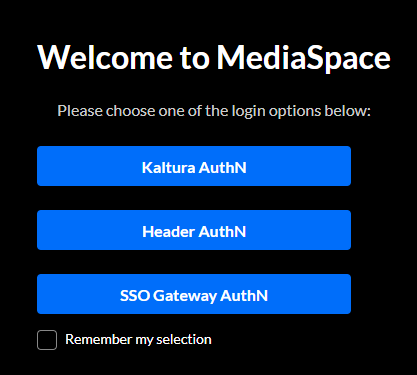
The option names and any accompanying help text are configured by your organization. Follow that guidance to choose the appropriate method. If you’re unsure which option to use, contact your administrator.
Select Remember my selection if you want the site to use the same login method on future visits.
Change your login selection
If the site takes you directly to a login method instead of displaying the available options:
- If you didn’t select Remember my selection: Your choice is temporarily remembered for approximately 60 seconds. Wait at least 60 seconds, then return to the login page.
- If you selected Remember my selection: Your choice is saved in a browser cookie. To clear it, add
/user/clear-login-selectionto the end of your Content Hubs site’s base URL, for example,https://your-site.example.com/user/clear-login-selection. Open that address, then choose your login method the next time you sign in. You don’t need to clear all your browser cookies.
Forgot password
The Forgot Password option is available for sites using username and password authentication.
If your organization uses SSO or another external identity provider, your password is managed through that provider. Follow your organization’s password-reset process or contact your administrator.
Reset your password
- In the sign-in window, click Forgot Password.
- Enter the email address associated with your account, select I'm not a robot, and click Send.
- Check your inbox and follow the instructions in the email to create a new password.
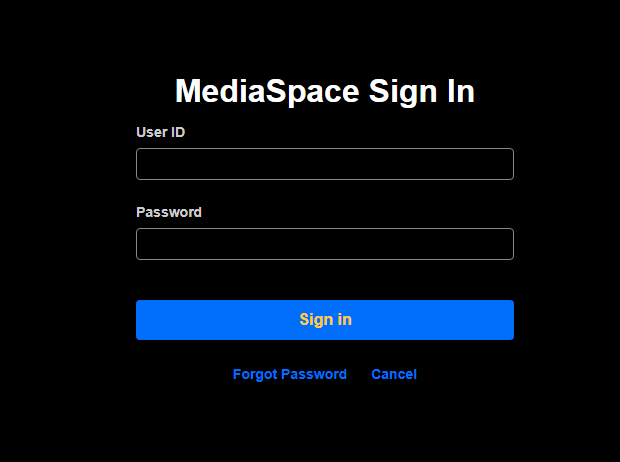
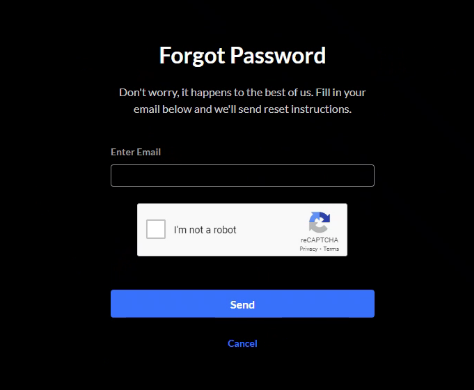
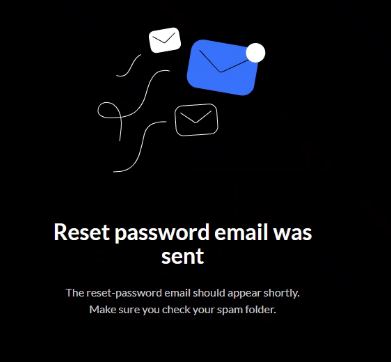
If the email address exists in the system, you’ll receive a password-reset link. If you don’t see the email, check your spam or junk folder.
If you still don’t receive password-reset instructions, contact Support through the Customer Care Portal.
Troubleshoot sign-in issues
If you have trouble signing in or accessing content, use the guidance below.
| If… | What to do |
|---|---|
| An error appears before you reach your organization’s sign-in page | If your organization requires a network or VPN connection, make sure you’re connected. If the error continues, contact your administrator or IT help desk. |
| You complete your organization’s sign-in process but see Access denied in Content Hubs | Check that you used the correct account. Contact your administrator to confirm your access. If the error affects only a particular video or channel, you can also contact the content owner. |
| The site automatically opens the wrong login method | Follow the instructions in Change your login selection above. |
Get help
When contacting your administrator or Support, include:
- Your Content Hubs site address
- The exact error message or a screenshot
- When the error occurred, including the time zone
- Your browser and device
- Whether the error occurred before or after completing your organization’s sign-in process
- Whether it affects the whole site or only a particular video, channel, or feature
If you know your organization recently changed its sign-in system, mention that too.
Do not share passwords, emailed sign-in links, or full authentication redirect URLs.
Why can't I access certain features?
Signing in doesn’t automatically give you access to all content or features. Your administrator controls what is available to your account.
For example, you may be able to browse content but not upload media, or you may have access to only certain channels and galleries.
If you can sign in successfully but can’t access the content or features you need, contact your administrator.
