About
This article describes how to manage moderator permissions in the Room during a session, including granting moderators the ability to share their screens and invite participants to join the stage. These settings are made via the Basics tab in the session settings panel.
The functionality described herein are restricted to Admins only and apply to the following:
- Single session DIY live webcasts
- Multi-session Interactive Room sessions
- Multi-session DIY live webcast sessions
Depending on your account settings, the ability to control screen sharing and stage access may not be enabled.
Single-session events
Access session settings
- From the Events homepage, click the event you want to manage.
-

- In the Event controls area, click the edit icon next to Basics.

The Overview page displays.


Multi-session events
Access session settings
There are two ways to reach session settings:
- On the Overview page, in the Agenda at a glance section, click the pencil icon next to the session.

- On the Agenda page, click the three-dot action menu to the right of the session and choose Edit.


The session settings open in a side panel with the Basics tab selected by default.

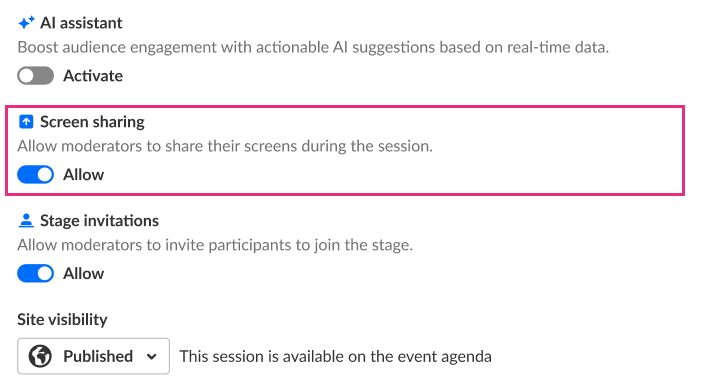
Allow moderators to share their screens during the session
- In the Screen sharing section, move the Allow toggle to the right. This grants moderators permission to share their screens during the session. Move the toggle back to the left to disable this permission.
- When you are finished making your edits, click Save changes.
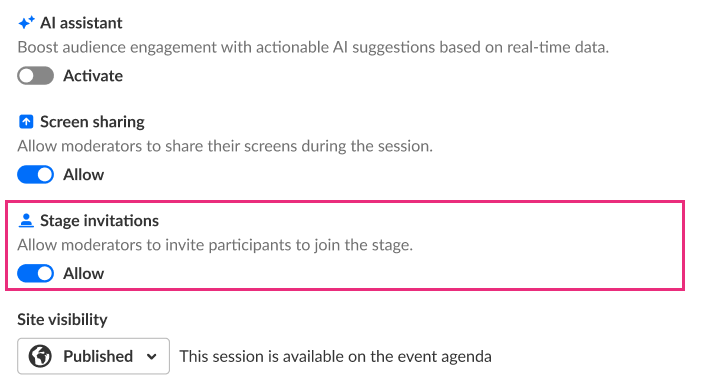
Allow moderators to invite participants to join the stage
- In the Stage invitations section, move the Allow toggle to the right. This grants moderators the ability to invite participants to join the stage during the session. Move the toggle back to the left to disable this permission.
-
When you are finished making your edits, click Save changes.
