About
Media can be downloaded via the media page in the Video Portal.
- Download availability depends on the media owner’s settings and your permissions. For more information, see Enable media download.
- These instructions reflect the Theming experience.
Download an entry
You can download media from the media page.
- On the media page, click the three dots below the player.
- Select Download, then choose a format from the available options.
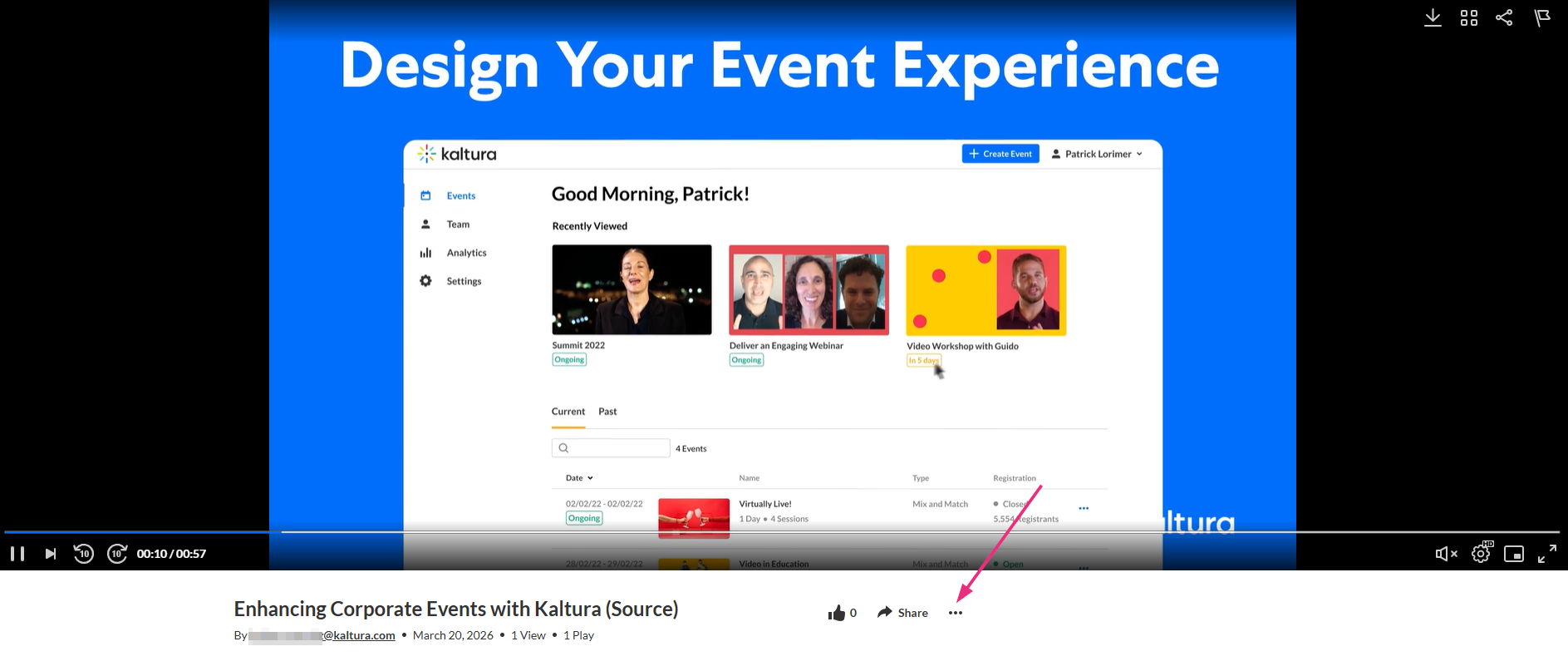
The Download option is available only if downloads are enabled for the media. For more details, check out our article Enable media download.
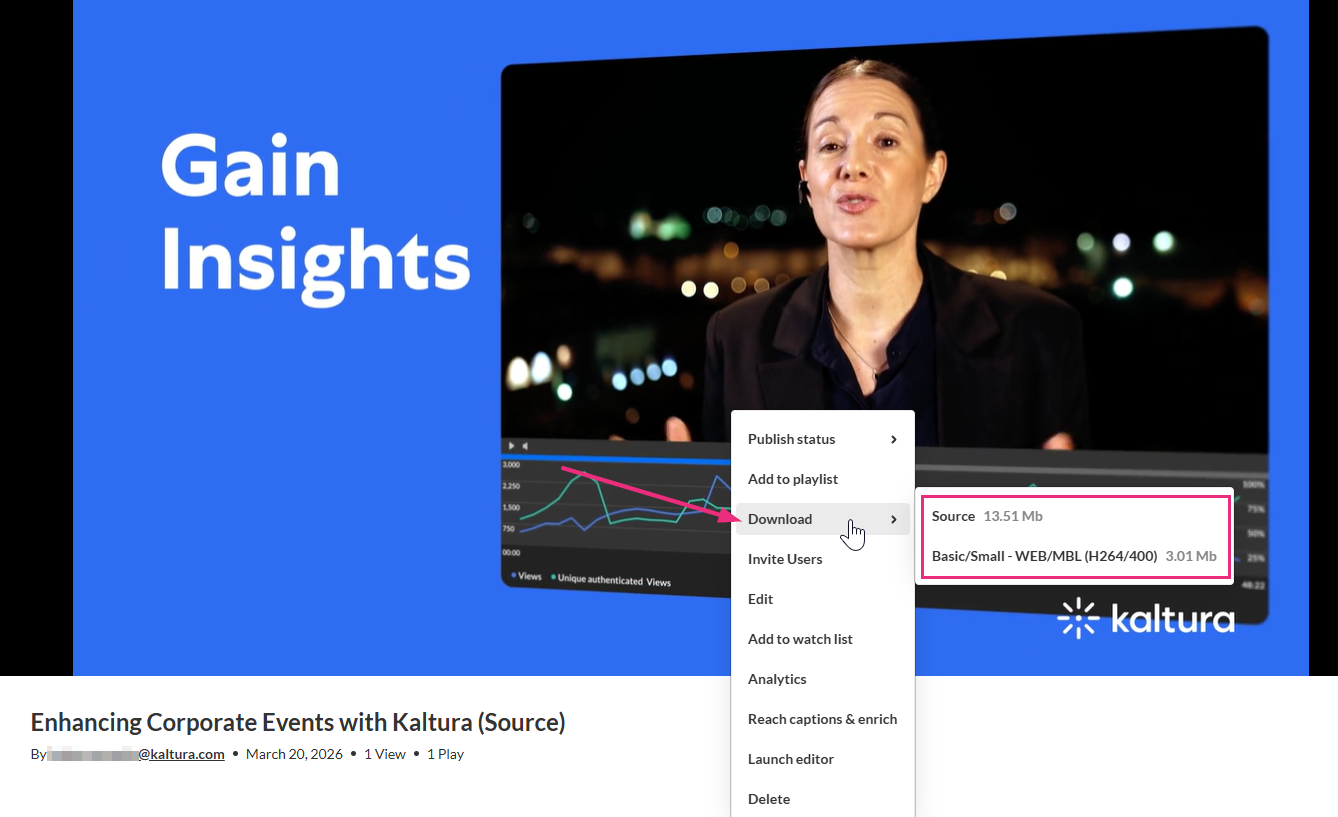
The entry downloads to your device.
Additional download options may be available depending on player configuration set by your administrator. To learn more, see Download.
