About
You can order machine-generated live translations for your events using Kaltura REACH. Live translations provide captions translated into one or more target languages in real time.
In case the live translations option is not available to you, please contact your Kaltura representative to have it enabled on your account.
Access the Captions & enrichment services page
- Log into your Rich Media CMS. The Entries page displays.
- Locate the desired entry, click the three dots to the right and select Captions & Enrich (legacy).
-
The Captions & Enrich page displays.

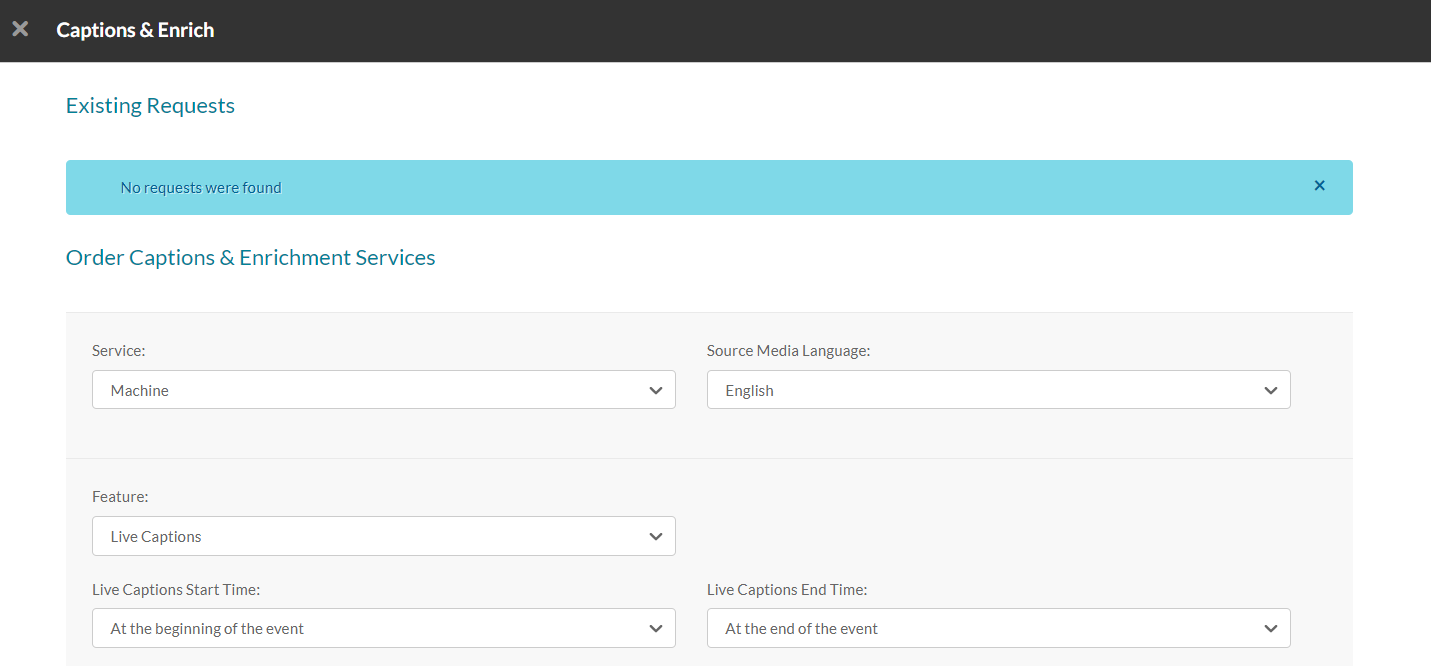
Order live translations
1. Complete the following fields:
- Service - Select Machine
- Source media language - Select the spoken language
- Feature - Select Live Translation
- Target translation language - Select one or more languages from the dropdown.
- Live translations start time - Choose when translation should start:
- at the beginning of the event
- 15 minutes before the event starts (recommended)
- 30 minutes before the event starts
- 60 minutes before the event starts
- Live translations end time - Choose how long translations should continue after the scheduled end time:
- at the end of the event
- 15 minutes after the event ends
- 30 minutes after the event ends
- 60 minutes after the event ends
Multiple languages are supported. Don’t see yours? Contact your Kaltura rep to request it.
To avoid disconnects, schedule translations to start slightly before your event, and make sure there’s at least a 5-minute gap between placing the order and the translation start time.

2. Click Submit at the bottom right.
To return to the order summary, click Back.
If you reschedule the event, the original order won't update automatically. Cancel it and place a new order.
Status definitions
- Pending - The request hasn’t been opened yet
- Scheduled - The request has been accepted and is being processed
- Completed - The translation job was completed successfully
Start streaming when all translation orders show Scheduled. If the status is Pending, wait and refresh the list.
Best practices for live translations
- Start streaming a few minutes early to ensure full caption coverage.
- Order machine translations at least 15 minutes before the event.
- You can cancel machine orders anytime before the event.
- Translations apply to the primary stream only - backup streams aren’t supported.
- Events must be at least 10 minutes long (600 seconds minimum).
- Translations can run up to 8 hours per session.
