About
This article shows you how to embed your Kaltura video player on an external website via the Share & Embed tab in the session settings panel.
Single-session events
Access session settings
- From the Events homepage, click the event you want to manage.
- In the Event controls area, select the edit icon next to Share & Embed.

The Overview page displays.


Multi-session events
Access session settings
There are two ways to reach session settings:
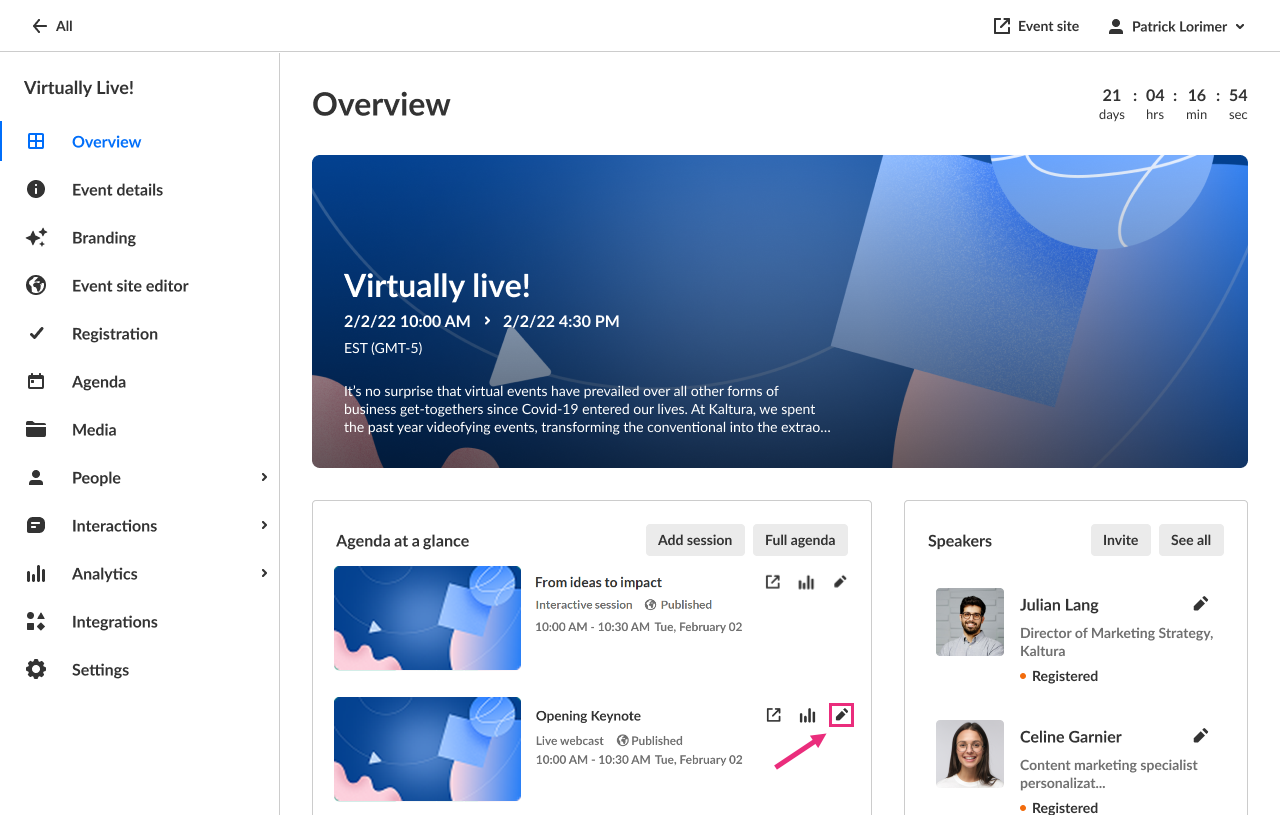
- On the Overview page, in the Agenda at a glance section, click the pencil icon next to the session.
- On the Agenda page, click the three-dot actions meu to the right of the session and choose Edit.
The session settings open in a side panel with the Basics tab selected by default.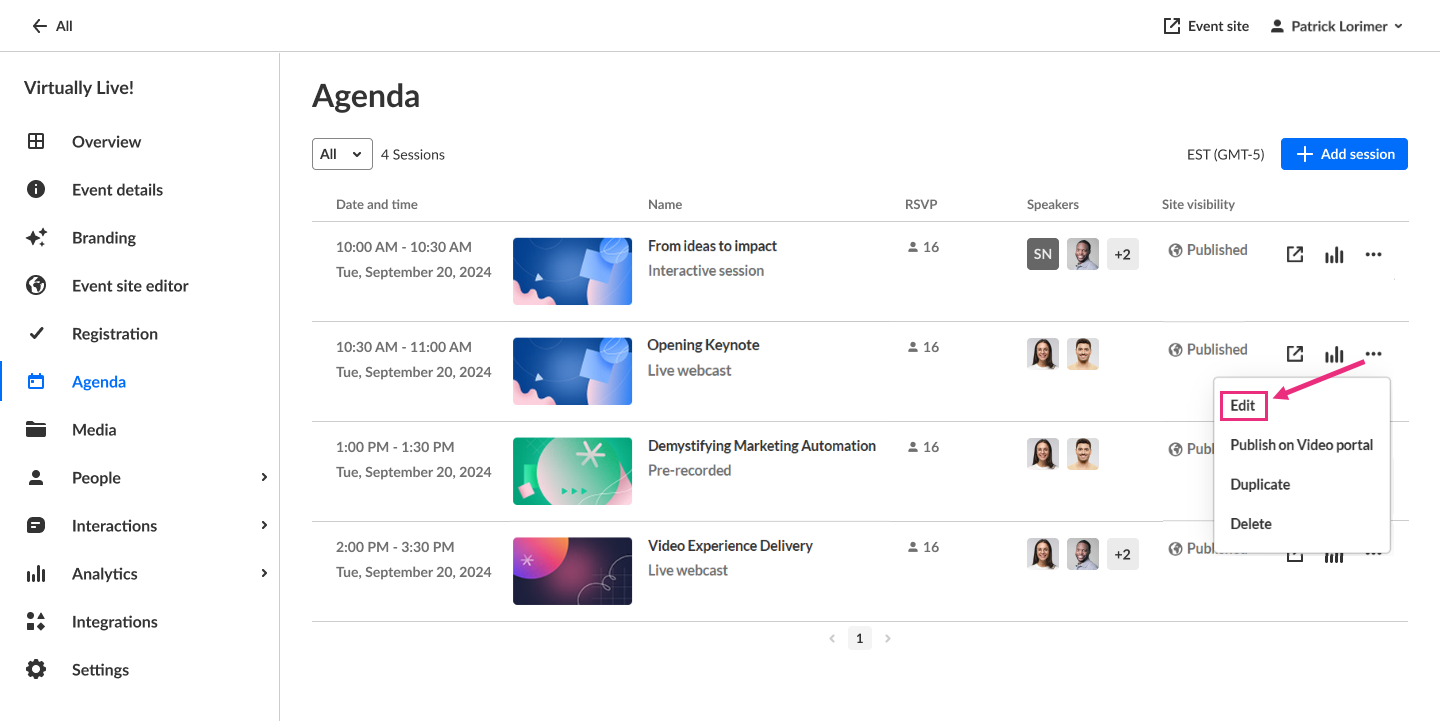

Click Share & Embed.

Embed the player
- In the Embed code section, click Copy to copy the embed code.
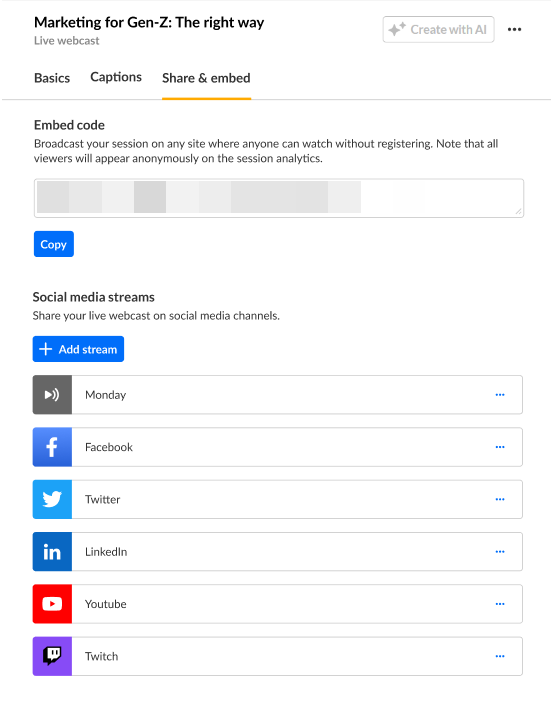
- Paste the embed code into your external site.
