About
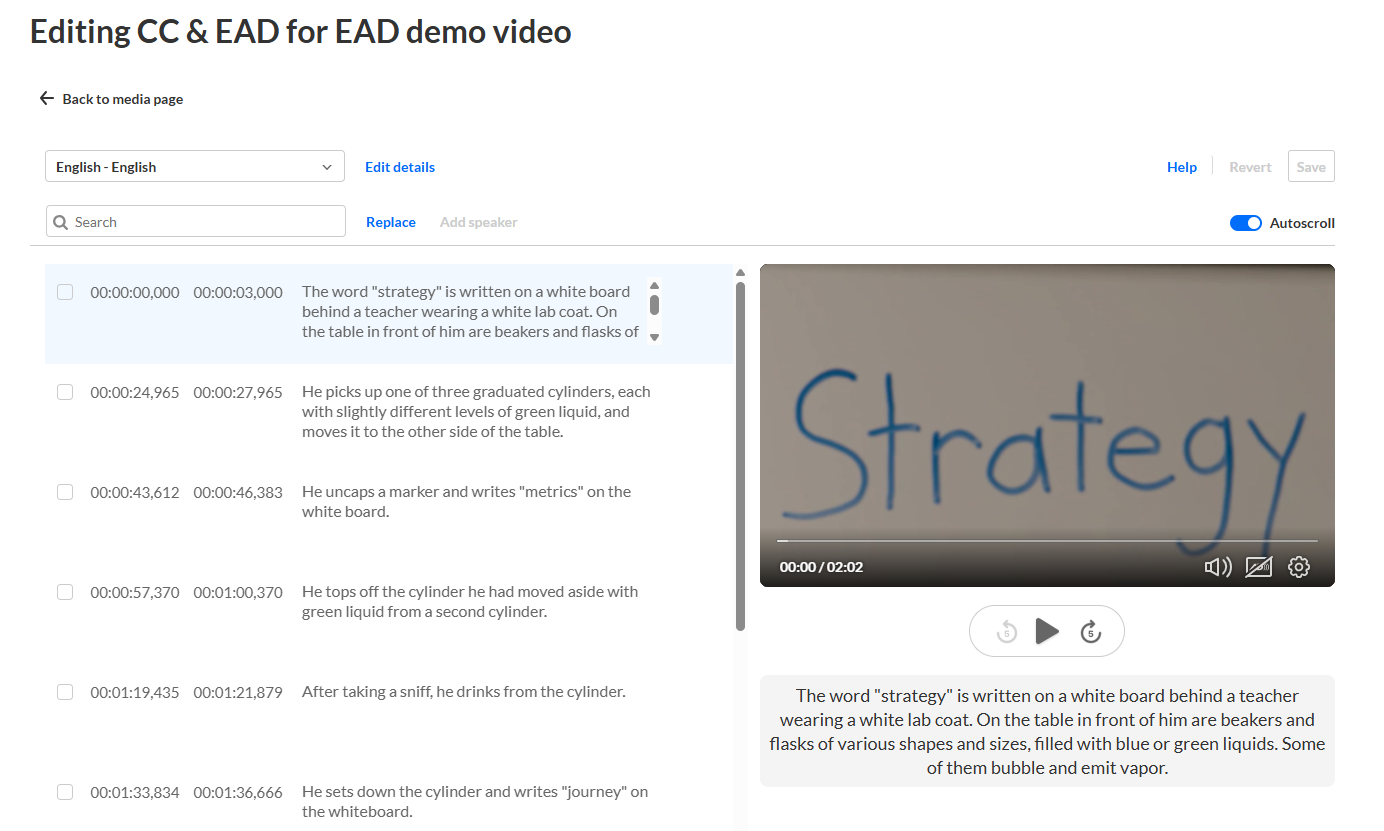
The extended audio description (EAD) editor lets you review and edit audio description files for your media.
With the editor, you can:
- Refine audio descriptions
- Adjust cue timing
- Preview descriptions during playback
- View EAD segments directly on the player timeline
The editor synchronizes with the player timeline in real time. Changes to cues are reflected immediately in the timeline.
REACH must be enabled on your account, and you must have the required permissions to use these features.
Access the editor
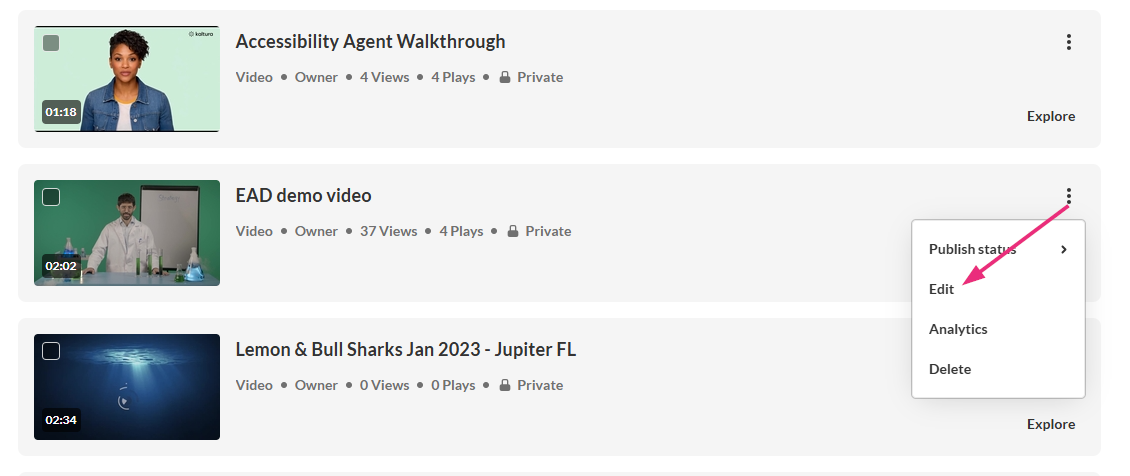
- Go to your My Media.
- Locate the desired media and click the three dots at the far right and select Edit.
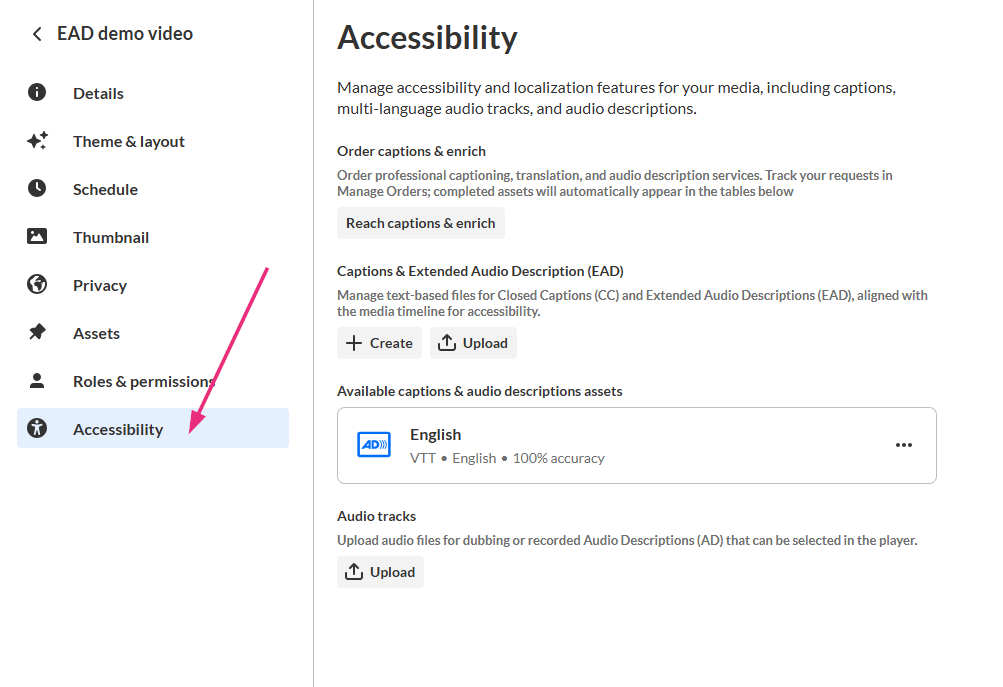
- In the left navigation, click the Accessibility tab to display the 'Accessibility' page.
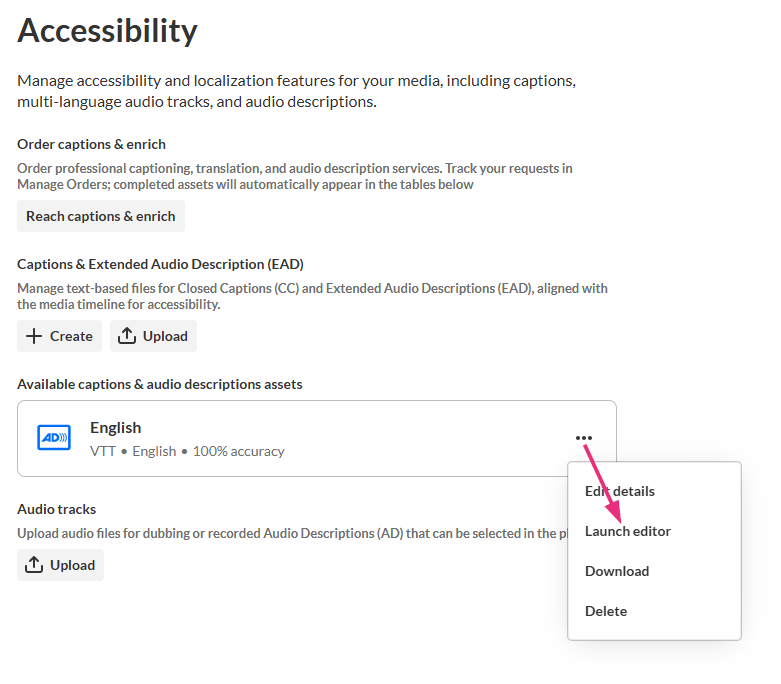
- In the Available captions & audio descriptions assets section, locate the desired file.
- Click the three dots next to the file and select Launch editor.

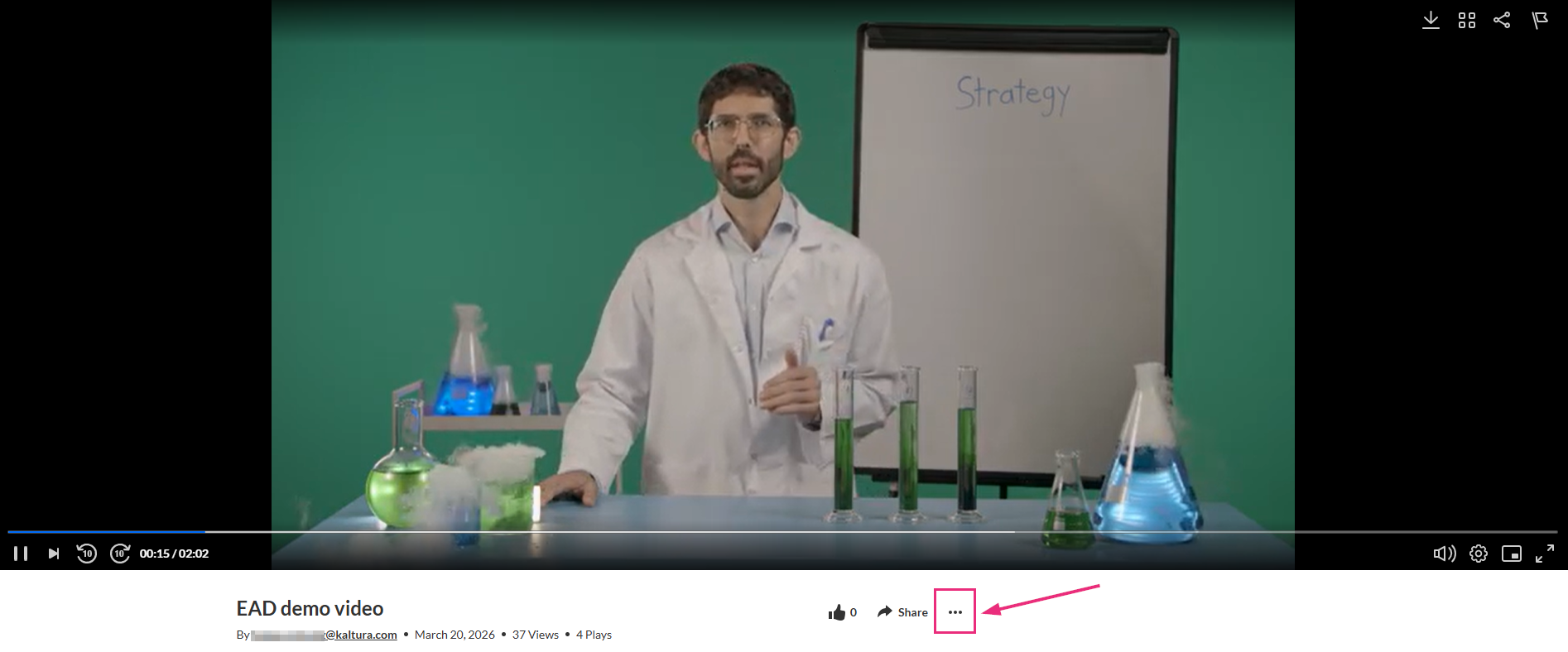
Alternatively, you can access the edit page from the media page by clicking the three-dot menu and selecting Edit.
The edit media page opens on the Details tab by default, with a left-hand navigation.
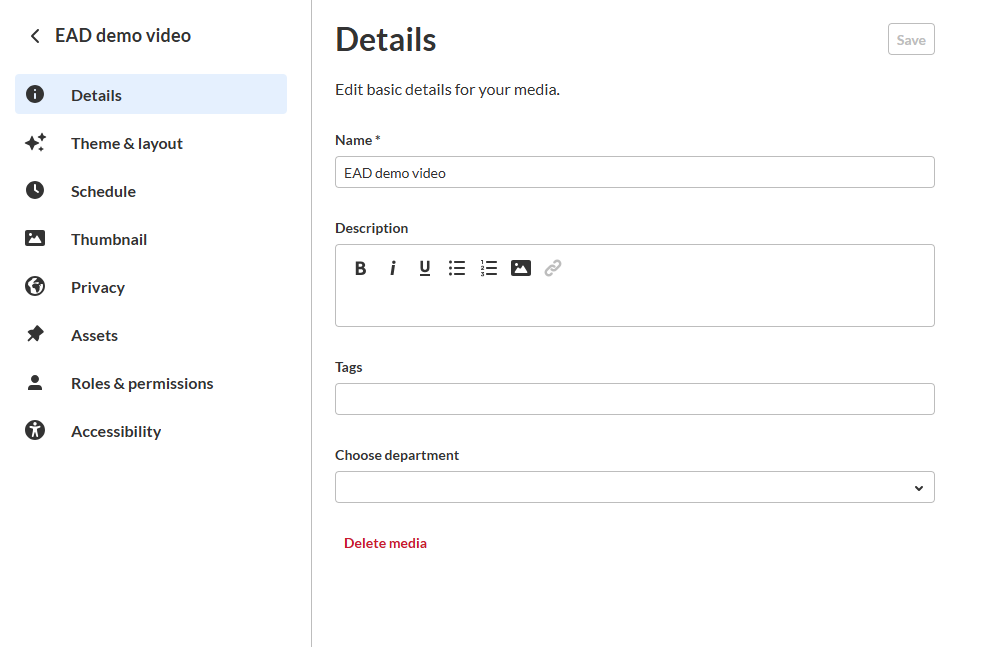
Available features depend on your site configuration. Some features are shown only if enabled for your site.
The EAD editor opens.