About
You can replace the main media asset of an entry while keeping its metadata, entry ID, URL, and analytics.
This applies to:
- Videos
- Audio files
- Images
- Documents (such as PDFs, DOCs, and DOCXs)
Replacing media updates the underlying file without changing the entry itself.
Time-based metadata (such as captions or chapters) may become misaligned with the new content and might require manual updates.
If the entry is in a moderated channel or category, the updated media is moved to pending moderation. In non-moderated locations, the updated media remains published.
Make sure the Replacemedia module is enabled.
Access the Assets tab
- From the user menu, select My Media.
- Click the three dots to the right of the desired media and select Edit.
- In the left navigation, click the Assets tab to display the Assets edit page.

The 'My Media' page displays.

Alternatively, you can access the edit page from the media page by clicking the three-dot menu and selecting Edit.

The edit media page opens on the Details tab by default, with a left-hand navigation.

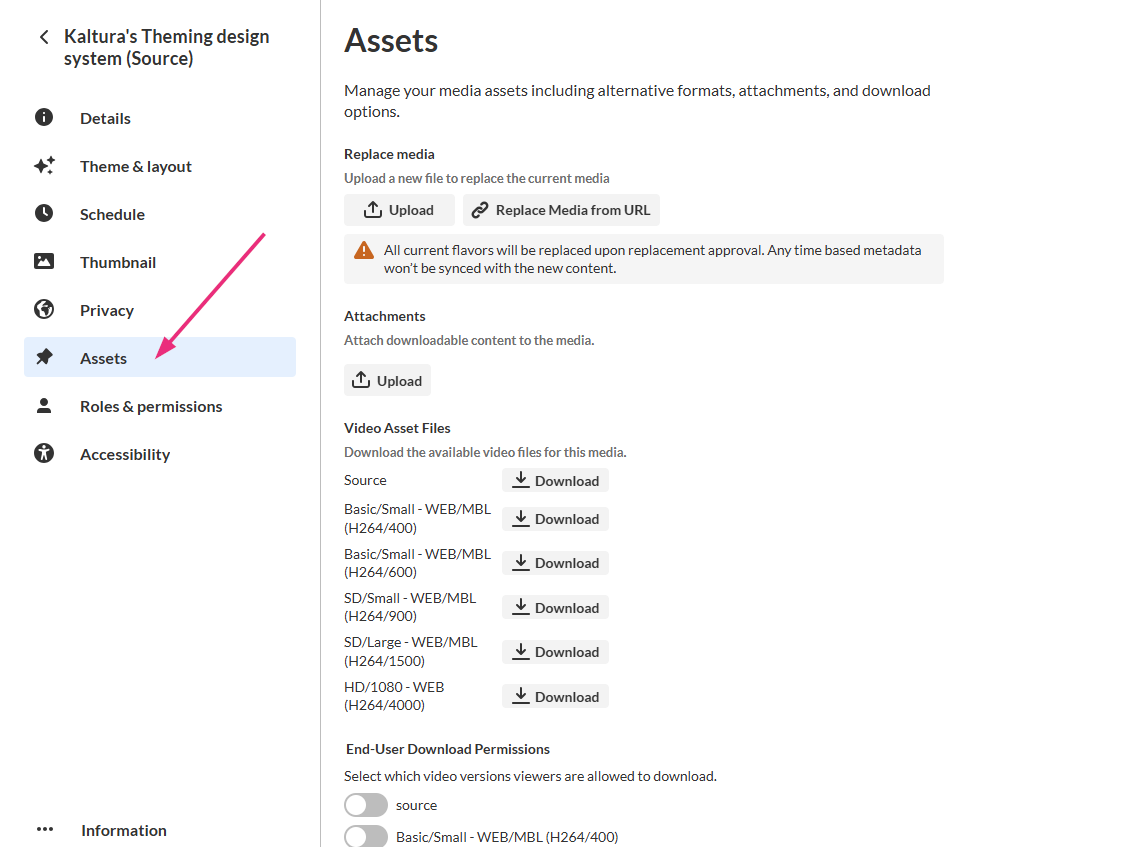
All edit actions apply immediately. There is no Save button on this page.
Replace media
Upload from desktop
- Click Upload.
- Select the desired file from your computer.
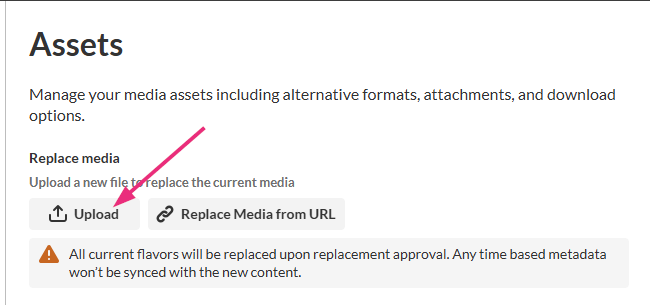
The upload begins immediately.
After upload, the media is processed automatically and the new media replaces the existing asset. To verify the update, open the media entry page and review the media.
Replace from URL
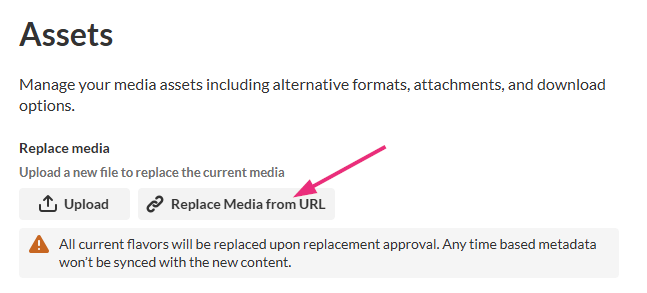
- Click Replace media from URL.
- Enter a valid URL in the field.
- Click Import.
The Import from URL window opens.
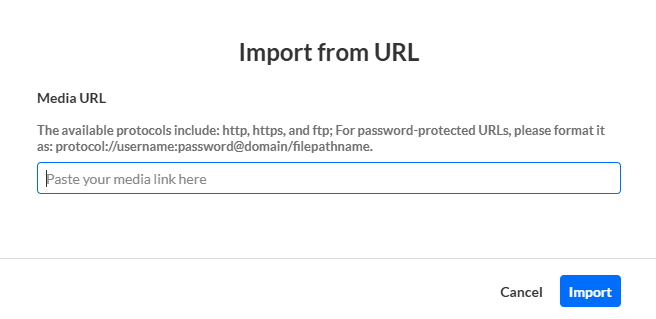
Supported protocols are http, https, and ftp.
For Google Drive links, the file must be publicly accessible. To allow access to file go to: Google drive file > three dots icon > Share > Anyone with the link

