About
My Media is your personal space for managing all the media you've uploaded or created over time. It's unique to each user, showing only your content, which remains private until you choose to publish it in one or more channels or courses. You can also collaborate by adding other users to your media.
Access My Media
Enter your course, then on the left menu bar, click on My Media.
- Depending on your account setup, you may access My Media differently. See your Kaltura Administrator for further information.
- If you cannot access My Media content/actions, ask your Kaltura Administrator to give you the required permission.
The My Media page displays.

Set the My Media display
Content in My Media may be displayed in one of three ways - Grid, Detailed, or Collapsed view. You may change this display by clicking one of the three buttons below:

Collapsed View

Detailed View

Table View

View analytics

Edit media
Click the pencil icon to the right of the media.

The edit page displays.
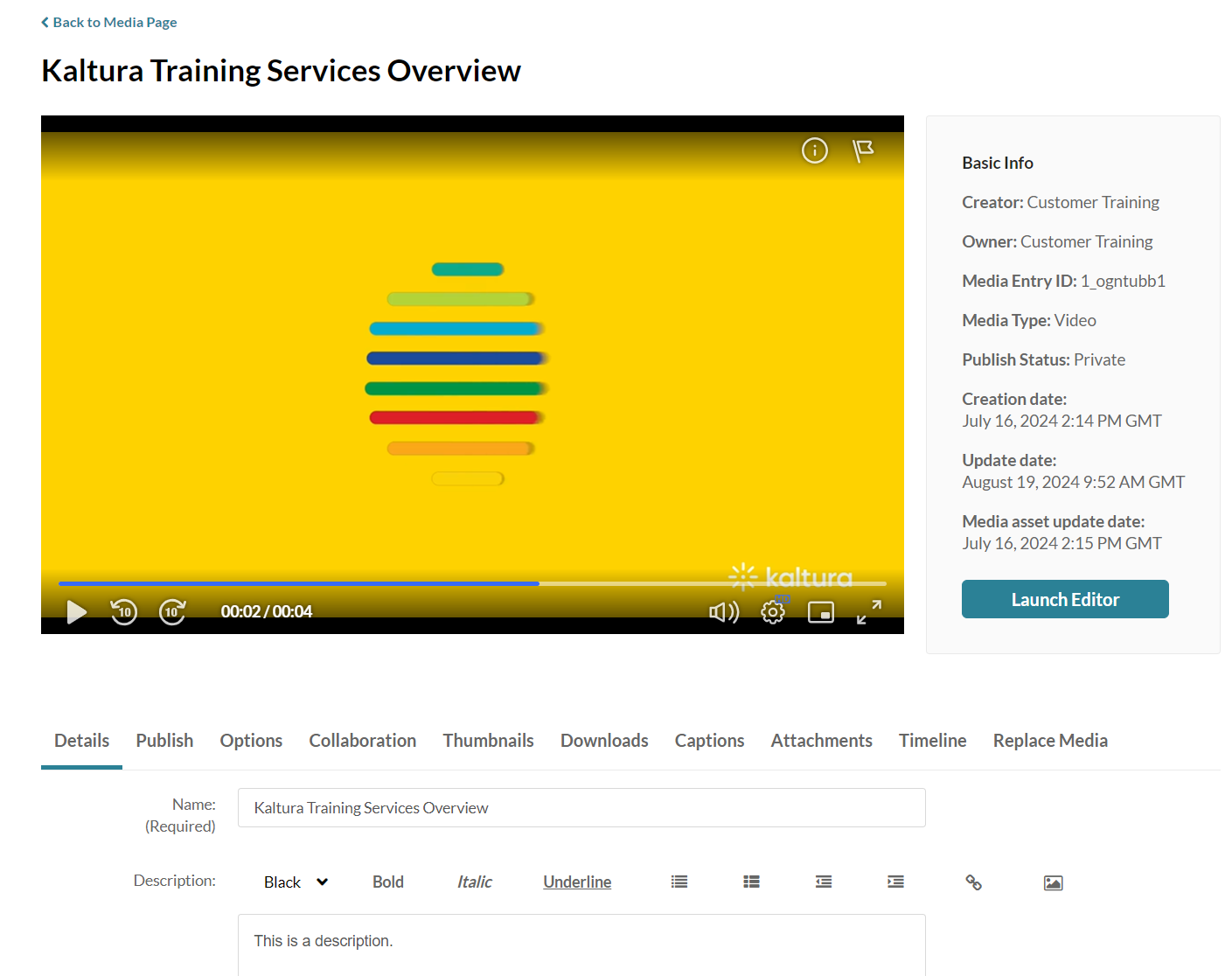
Once you're on the edit media page, you can:
- Edit media metadata
- Setup metadata in different languages for your media
- Publish media
- Schedule media
- Enable clipping
- Disable comments and close discussion
- Change media ownership and add collaborators
- Set and modify thumbnails
- Enable media download
- Upload and manage captions
- Add attachments
- Manage chapters and slides
- Replace media
- Customize the entry display
- Delete the entry
- Launch the Editor
Delete media

