About
This article explains how moderators or hosts can leave a Kaltura Room session or end the session for all participants.
Leave or end a session
At the lower right of the screen, click the End Session button (door icon).

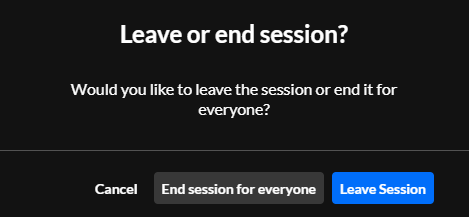
A confirmation message displays with two options:
- Leave session - Leave the room while allowing the session to continue for other participants.
- End session for everyone - End the session and remove all participants from the room.
Moderators and hosts can also leave the session by closing the browser tab or window.
You can rejoin the room at any time to continue the session.
Automatic session end (timeout)
If the session host leaves the room, a timer begins.
If the host does not return within 15 minutes, the session automatically ends for all participants. Participants are redirected to a screen indicating that the session has ended.
