About
As a media owner, you can add collaborators such as co-editors, co-publishers, and co-viewers to their media. This will make the media available in the collaborators' personal My Media.
Note that adding a collaborator doesn’t change that user's overall role, in other words, a user with a viewer role added as a co-editor or co-publisher can only edit or publish the specific media they’ve been assigned to.
Your administrator can also configure the option of adding co-editors, co-publishers, or co-viewers during upload of an entry.
For information about transferring ownership, check out our article Change media ownership.
This feature requires the Mediacollaboration module to be enabled.
Add collaborators
- Access the My Media page.
- Check the box(es) on the top left of the desired entries.
- Click the More actions menu at the top of the page and choose Add/Remove collaborators.
- Choose Add collaborators.
- Select the permissions you want your collaborator to have:


The Add collaboration window displays.

- Viewer
- Publisher
- Editor
- Start typing a name in the text field. A drop-down list will automatically show the users and groups available. Check the boxes next to each name to select them.
- When you've finished adding collaborators and setting permissions, click Add.

A success message displays: Media successfully updated.
Remove collaborators
- On the My Media page, check the box(es) on the top left of the desired entries.
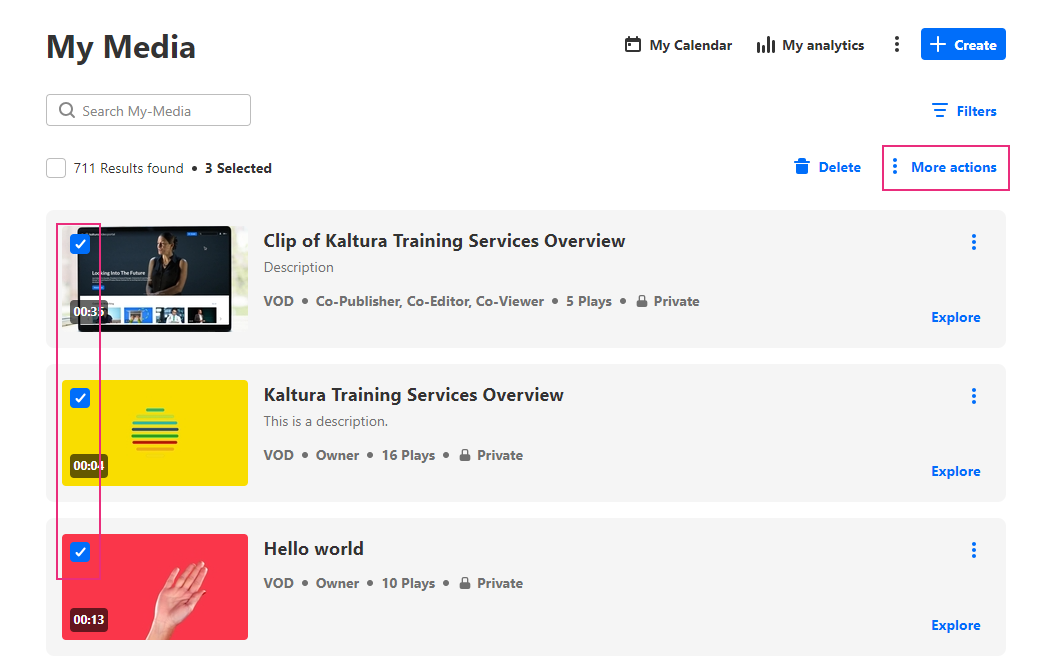
- Click the More actions menu at the top of the page and choose Add/Remove collaborators.
- Choose Remove collaborators from the menu.
- Select the permissions you want your collaborator to have:
This option only appears in the menu if the mediaCollaboration module is enabled.

The Remove collaboration window displays.

- Viewer / Webcast moderator
- Publisher
- Editor
- Start typing a name in the text field. A drop-down list will automatically show the users and groups available. Check the boxes next to each name to select them.
- When you've finished adding collaborators and setting permissions, click Update.

A success message displays:Media successfully updated.
