About
The Account Info section in the Rich Media Content Management System (Rich Media CMS) contains the identifiers and API keys that allow your site or applications to connect to Kaltura, authenticate users, and perform API operations.
These values are unique to your account and should be handled carefully.
Access Account info
- Log into Rich Media CMS and click the settings icon (gear) at the far right.
- Click the Integrations tab.
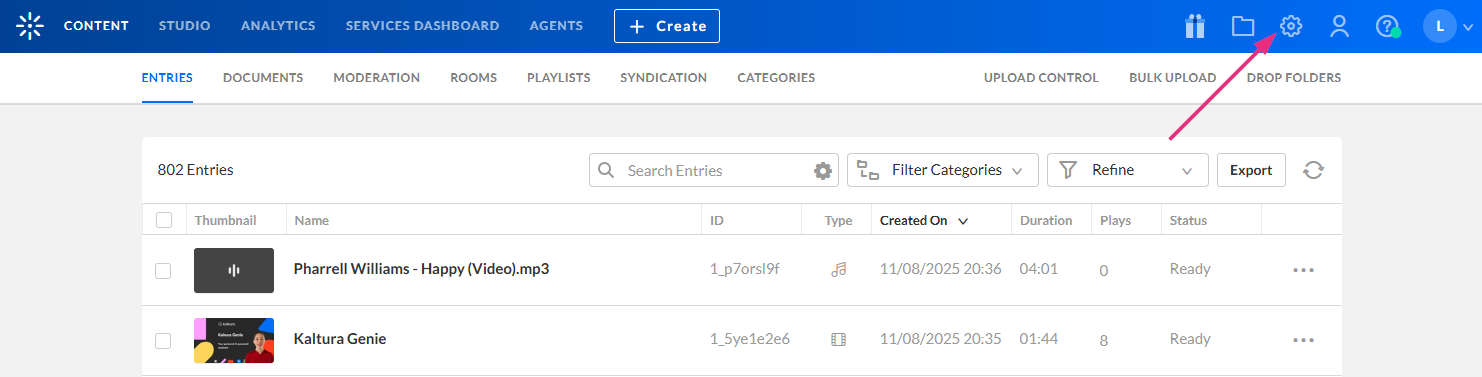
The settings page displays.


Fields in Account Info
Partner ID
Your Partner ID is your Kaltura account identification number. It's used when connecting applications or integrations to your Kaltura environment.
Sub Partner ID
The Sub Partner ID is generally deprecated and maintained only for backward compatibility with older Kaltura applications.
Administrator and user secrets
These fields are API private keys used to generate authentication tokens for sessions with Kaltura servers.
- User Secret – Used for most API activity. This is the key you should provide to anyone who needs API access to your account.
- Administrator Secret – Allows full administrator login and complete account control. Keep this key private.
Both secrets are automatically obfuscated to prevent accidental exposure during screen sharing. You can click the eye icon to reveal the key, and the copy icon to copy it.

