About
Breakout rooms allow participants to join smaller group discussions during a session.
This article explains how to join and navigate a breakout room.
Join a breakout room
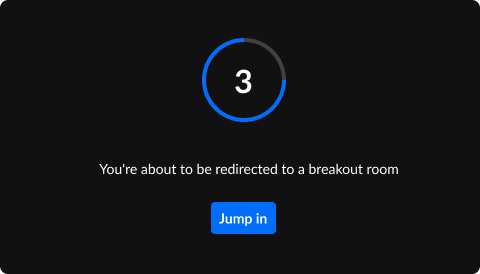
When a moderator launches breakout rooms, you will see a countdown before the breakout session begins.
You can:
- Wait for the countdown to finish, or
- Click Jump in to immediately enter your assigned breakout room.
Use the breakout room control bar
Once you enter a breakout room, a control bar appears at the top of the screen.
The control bar includes the following options.
Call moderator
If you need assistance, click Call moderator.

The moderator will receive a notification and can join your breakout room to help.
After you send the request, the button changes so you can cancel the call if needed.
View remaining time
If the moderator set a timer for the breakout session, the remaining time appears on the control bar.

Moderators can adjust the time during the session, so the remaining time may increase or decrease.
Switch rooms
If enabled by the moderator, you can move between breakout rooms.
- Click the name of your current room in the control bar.
- Select the breakout room you want and click Join room.

A window displays all available breakout rooms.

You can also click Main room to return to the main room.
The moderator can also move participants between rooms during the session. If this happens, you will see a countdown before entering the new room.
Use the bottom toolbar
The bottom toolbar includes the standard meeting controls.

Depending on the permissions set by the moderator, you may see options such as:
- Camera
- Microphone
- Raise hand
- Chat
- Screen sharing
The three-dot menu may also include options to:
- Record the session
- Access or upload media files
- Add media to the storyboard
Receive broadcast messages
Moderators can send messages to all breakout rooms.
When this happens, the message appears as a notification on your screen.

Return to the main room
When the breakout session ends, or when the moderator closes the breakout rooms, a countdown appears.

After the countdown finishes, you are automatically returned to the main room.
